Why a terminal teaches the terminal
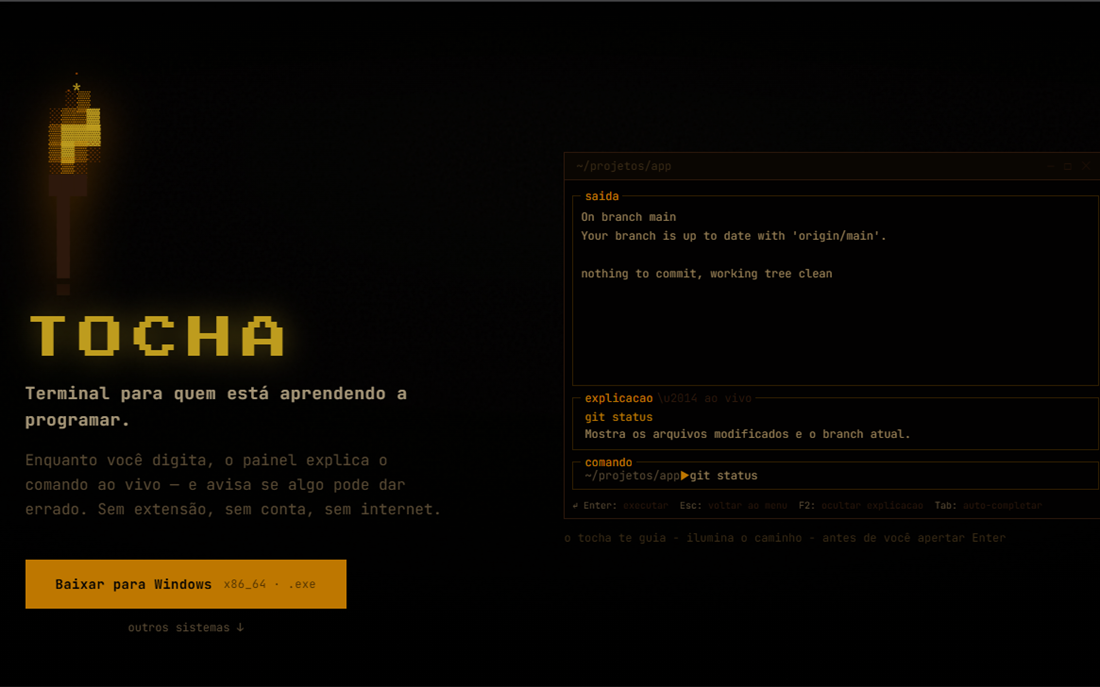
Every tutorial about the command line is written for a browser, which is the one place the reader cannot try what is being taught. Tocha inverts that: it is a TUI, so the lesson and the practice happen in the same window, on the machine the person is learning about.
What it does
- Guided lessons in steps: an explanation first, then the command to run, then the result to compare against.
- Explanations in the interface, so nobody has to hold two windows side by side to follow along.
- Safety built into the lesson: the point is that a beginner can experiment without fear of breaking their own machine.
- Progress saved locally, so a lesson can be stopped and resumed without creating an account.
- Central application state driven by an action enum: a key press becomes one explicit state transition instead of a mutation somewhere in the render code.
- Gamification, on the roadmap, for the part of learning that is simply repetition.
Technical decisions and trade-offs
- Rust with Ratatui and Crossterm instead of a web application. Trade-off: a TUI has to be installed before it can teach anything, which is real friction and fewer people will try it. In exchange, the tool is the thing being taught, and the explanation sits next to the prompt.
- Three repositories instead of one: the terminal itself, the download site (Next.js) and a public releases repository. Trade-off: more moving parts to keep in sync, but release artifacts and download links stay stable, and the site can change without shipping a new version of the application.
- Binaries built by CI and published on a tag, for Windows x86_64, macOS (Intel and Apple Silicon) and Linux x86_64. Trade-off: the release workflow has to be maintained, and a mistaken tag publishes a wrong build; the alternative is four manual builds per release, which is how a tool ends up shipping for one platform only.
- Progress stored on the machine. Trade-off: no cross-device progress and no analytics about where learners stop, in exchange for zero accounts and working offline.
Where it stands
Two lessons ship today, first steps and basic commands. They live as data files in the repository rather than inside the code, so writing the next one is content work. The release pipeline is in place with binaries for the four targets, and the site carries the install instructions. Gamification is the next piece.
The terminal itself sits in a private repository; the download site and the release binaries are the public ones.